
Fast Delivery
Rapid Order Fulfillment

Secure & Reliable
Secure Checkout and 24/7 Support

 -93%
-93%
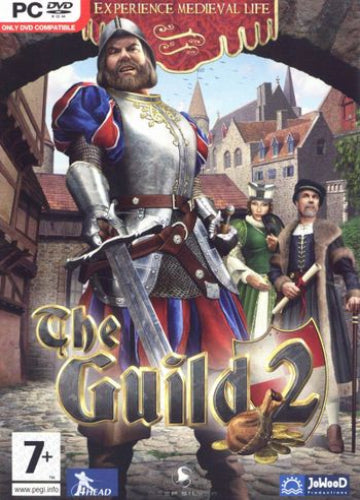
The Guild 2 is a life simulation and strategy game set in the late Middle Ages, where players build dynasties through trade, politics, and intrigue. Combining elements of economic management, role-playing, and social simulation, the game offers a rich world where every decision influences your family’s rise to power and legacy.
Key Features
• Dynamic Medieval World
Live, work, and compete in a realistic 15th-century setting filled with markets, guilds, and bustling towns.
• Build Your Dynasty
Start as a craftsman, trader, or politician and expand your influence through marriage, business, and strategic alliances.
• Economic and Political Gameplay
Manage workshops, control trade routes, and manipulate politics to gain wealth and authority.
• Character Development
Level up your characters, learn new skills, and shape their personalities and reputation over generations.
• Social Interaction and Intrigue
Engage in rivalries, courtships, and even underhanded schemes to achieve your ambitions.
• Immersive Simulation
Experience a living world where NPCs act independently, cities evolve, and your choices have lasting consequences.
Minimum:
Recommended:
Please follow these instructions to activate a new retail purchase on Steam:

The Guild 2 is a life simulation and strategy game set in the late Middle Ages, where players build dynasties through trade, politics, and intrigue. Combining elements of economic management, role-playing, and social simulation, the game offers a rich world where every decision influences your family’s rise to power and legacy.
Key Features
• Dynamic Medieval World
Live, work, and compete in a realistic 15th-century setting filled with markets, guilds, and bustling towns.
• Build Your Dynasty
Start as a craftsman, trader, or politician and expand your influence through marriage, business, and strategic alliances.
• Economic and Political Gameplay
Manage workshops, control trade routes, and manipulate politics to gain wealth and authority.
• Character Development
Level up your characters, learn new skills, and shape their personalities and reputation over generations.
• Social Interaction and Intrigue
Engage in rivalries, courtships, and even underhanded schemes to achieve your ambitions.
• Immersive Simulation
Experience a living world where NPCs act independently, cities evolve, and your choices have lasting consequences.
Minimum:
Recommended:
Please follow these instructions to activate a new retail purchase on Steam: